


-
Selección de país/idioma
COUNTRY
-
Andorra
- English
- Spanish
-
United Arab Emirates
- English
-
Argentina
- English
- Spanish
-
Austria
- English
-
Australia
- English
-
Bosnia y Herzegovina
- English
-
Belgium
- English
-
Bulgaria
- English
-
Brasil
- English
- Portugues
-
Canada
- English
-
Swiss
- English
- Spanish
-
China
- English
-
Colombia
- English
- Spanish
-
Costa Rica
- English
- Spanish
-
Serbia y Montenegro
- English
-
Cuba
- English
- Spanish
-
Chipre
- English
-
República Checa
- English
-
Germany
- English
-
Denmark
- English
-
República Dominicana
- English
- Spanish
-
Argelia
- English
-
Ecuador
- English
- Spanish
-
Egypt
- English
-
Spain
- English
- Spanish
-
Finland
- English
-
France
- English
-
United Kingdom
- English
-
Guernsey
- English
-
Gibraltar
- English
- Spanish
-
Guadalupe
- English
-
Guinea Ecuatorial
- English
-
Grecia
- English
-
Guatemala
- English
- Spanish
-
Honduras
- English
- Spanish
-
Croacia
- English
-
Haití
- English
-
Hungria
- English
-
Ireland
- English
-
Israel
- English
-
Isla de Man
- English
-
Italy
- English
-
Jersey
- English
-
Japón
- English
-
Luxemburgo
- English
-
Moroc
- English
-
Mónaco
- English
-
Moldavia
- English
-
Macedonia
- English
-
Mauritania
- English
-
México
- English
- Spanish
-
Namibia
- English
-
Nicaragua
- English
- Spanish
-
Netherlands
- English
-
Norway
- English
-
Panamá
- English
- Spanish
-
Perú
- English
- Spanish
-
Filipinas
- English
-
Polonia
- English
-
Puerto Rico
- English
- Spanish
-
Portugal
- English
-
Paraguay
- English
- Spanish
-
Romania
- English
-
Russia
- English
-
Sweden
- English
-
Slovenia
- English
-
Slovakia
- English
-
San Marino
- English
-
Senegal
- English
-
El Salvador
- English
- Spanish
-
Türkiye
- English
-
Taiwan
- English
-
Ukraine
- English
-
USA
- English
-
Uruguay
- English
- Spanish
-
Venezuela
- English
- Spanish
-
South Africa
- English
LANGUAGE
Search
MM
Access
Agency access
Access Forgot your password?
Correo electrónico y/o contraseña no válidos.
o
Sign up here
Iberia Employee Access
AccessGeneral information - Groups reservation
Suggested searches

Groups
General information - Groups reservation
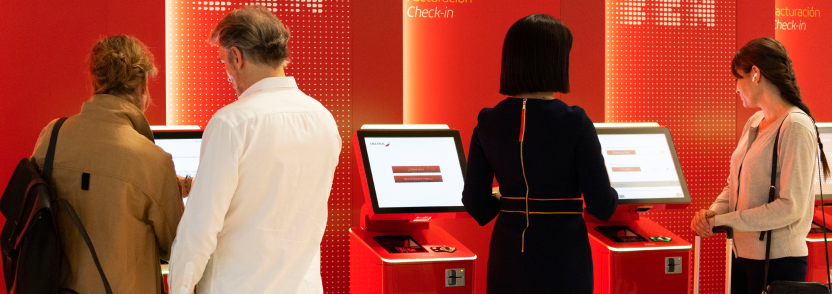
You will be able to manage group requests for all flights operated by IBERIA and by:
IBERIA
Iberia Regional AIR NOSTRUM
IberiaExpress
LEVEL
1. Group quotation request
Follow these steps:
1.
Register with your username and password, if you have not already done so.
2.
Go to the top menu, Online Requests tab.
3.
Go to Groups/Application.
4.
Complete the form and send the request.
You will receive an e-mail with the reference code assigned to you.
From now on you will be able to consult any request sent by going to Online Requests/Groups/My Requests.
Click here to access the contact details of your Groups department.
2. Transactions for viewing and pricing one itinerary or PNR in different CRS (pricings are in 100 currency units).
With these transactions, the YQ/Q rate is integrated in the rate.
GDS
Amadeus
Galileo
Sabre
View
FQDMADLCG/R,U*GRGR0100
FD17APRMADLCG/IB-PRI-GRGR0100:P
FQMADLCG17APR-IB‡AC*GRGR0100‡PV
Price
FXP/R,U*GRGR0100
FQCIB-GRGR0100
WPAC*GRGR0100‡PV
At time of reservation (PNR) pricing, the last four digits of the Base Rate code will be coded so that the amount does not appear on the ticket.
In those cases where the system does not permit the automatic fare calculation, it must be loaded manually, bearing in mind that the YQQ rate is always included and should never be broken down.
In these cases, the Base Rate code will be IZGR, if the booking is in business class, or GZGR if it is in economy class.
TICKETS FOR RESIDENTS
The issuance of group tickets for residents will always be done with the automatic valuation indicated in the previous point.
The amount of the fee must be visible.
In the event that the system does not allow issuance with automatic valuation, please contact Iberia Groups.
IMPORTANCE OF COMPLIANCE WITH THIS STANDARD
Travel agencies must strictly apply this standard in order to avoid issuing errors and, as result of these, the generation of ADMs.
